BaladMaps: Search & Discovery V2.0
What is "Balad"?
Balad Maps is an Iranian navigation application offering features commonly found in mapping applications. With all information displayed in Farsi, Balad Maps caters to users in Iran. The application provides turn-by-turn navigation to guide users to their destinations. It also includes location services and a searchable database of points of interest, facilitating exploration of Iran.
Project Goals:
Enhance Search Relevance:
Improve the accuracy and relevance of search results to user queries.
Reduce Search Abandonment:
Decrease the bounce rate by providing users with the information they need quickly and efficiently.
Boost User Engagement:
Integrate features that encourage users to explore and interact with search results for a longer duration.
Optimize Search Presentation:
Refine the way search results are displayed for improved readability and user experience. (This could include the list view addition)
Design Improvements:
Search Page:
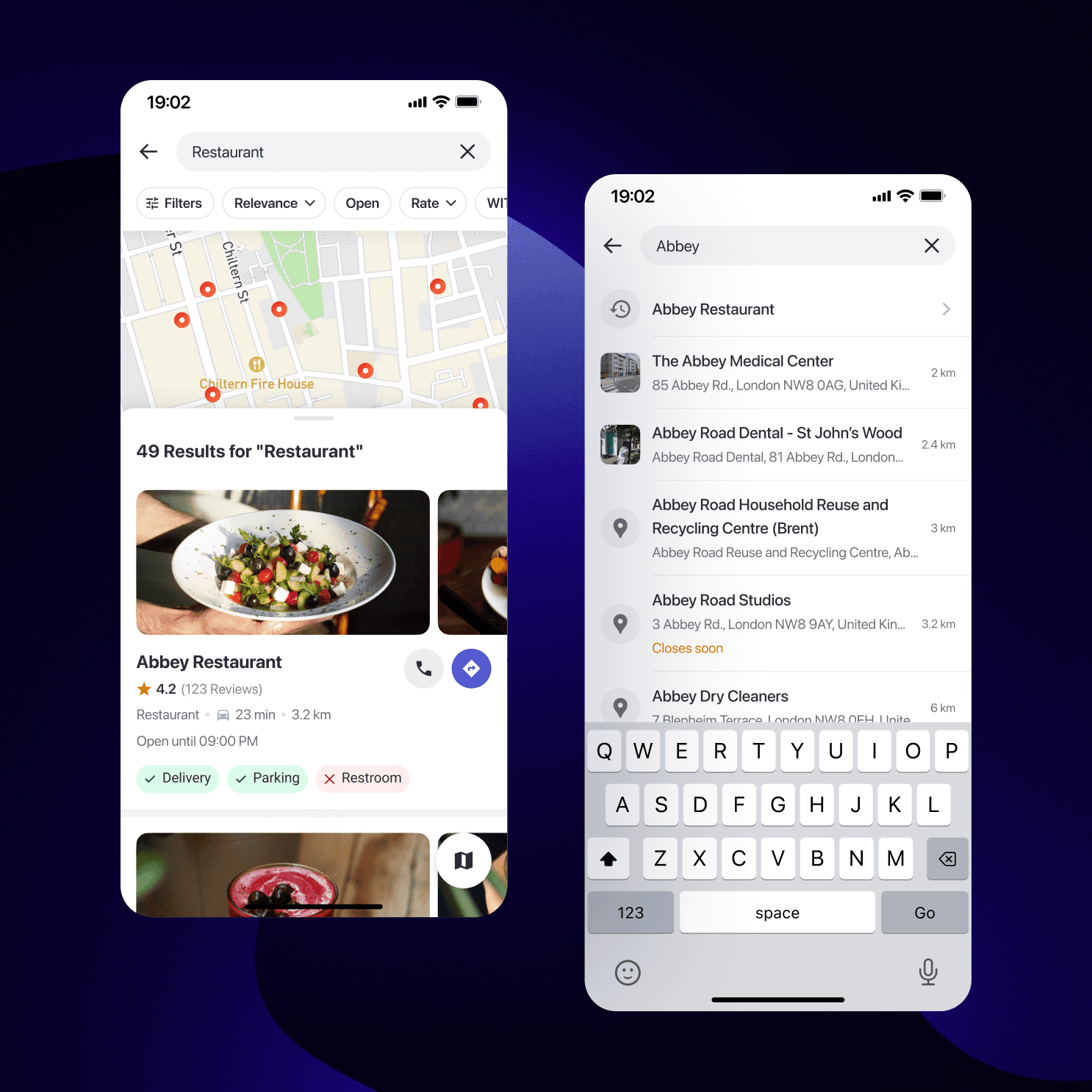
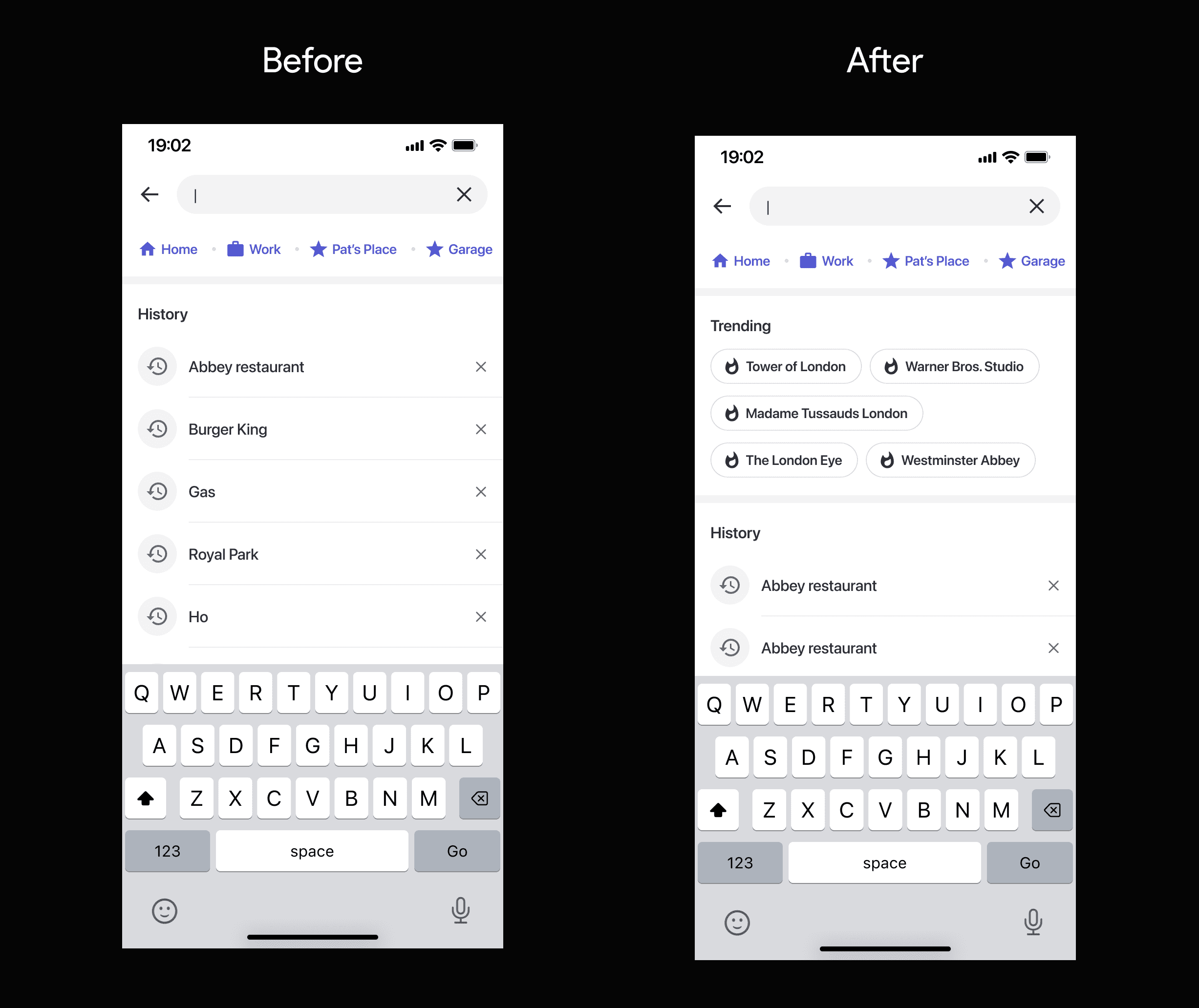
The goal of my design was to deliver more relevant search results and enhance user engagement. To achieve this, I implemented several strategies. First, I moved away from generic result formats by designing targeted components specifically suited to display the search results. This approach not only increased user engagement but also led to lower bounce rates. Additionally, I leveraged user search history to personalize the displayed results based on their past behavior. This personalized approach ensured users found what they were looking for faster, streamlining their search experience. Finally, I incorporated valuable data like point-of-interest opening hours directly into the results. This contextual information further guided the search experience and aided user decisions by providing information crucial for their needs. By implementing these design strategies, I aimed to create a more engaging and efficient search experience for users.
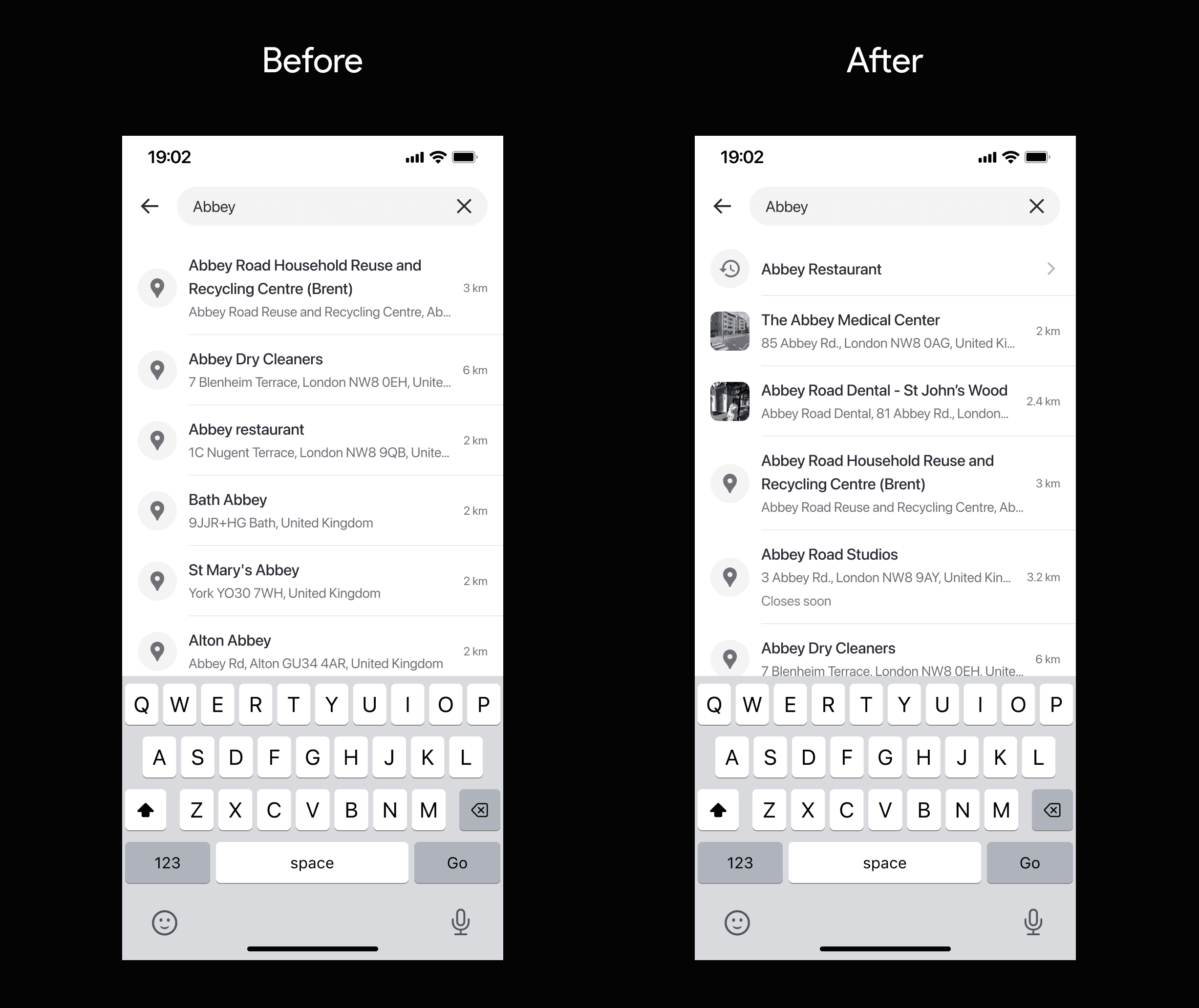
To further enhance user engagement and encourage exploration, we also designed a trending section, aligning with product requirements.
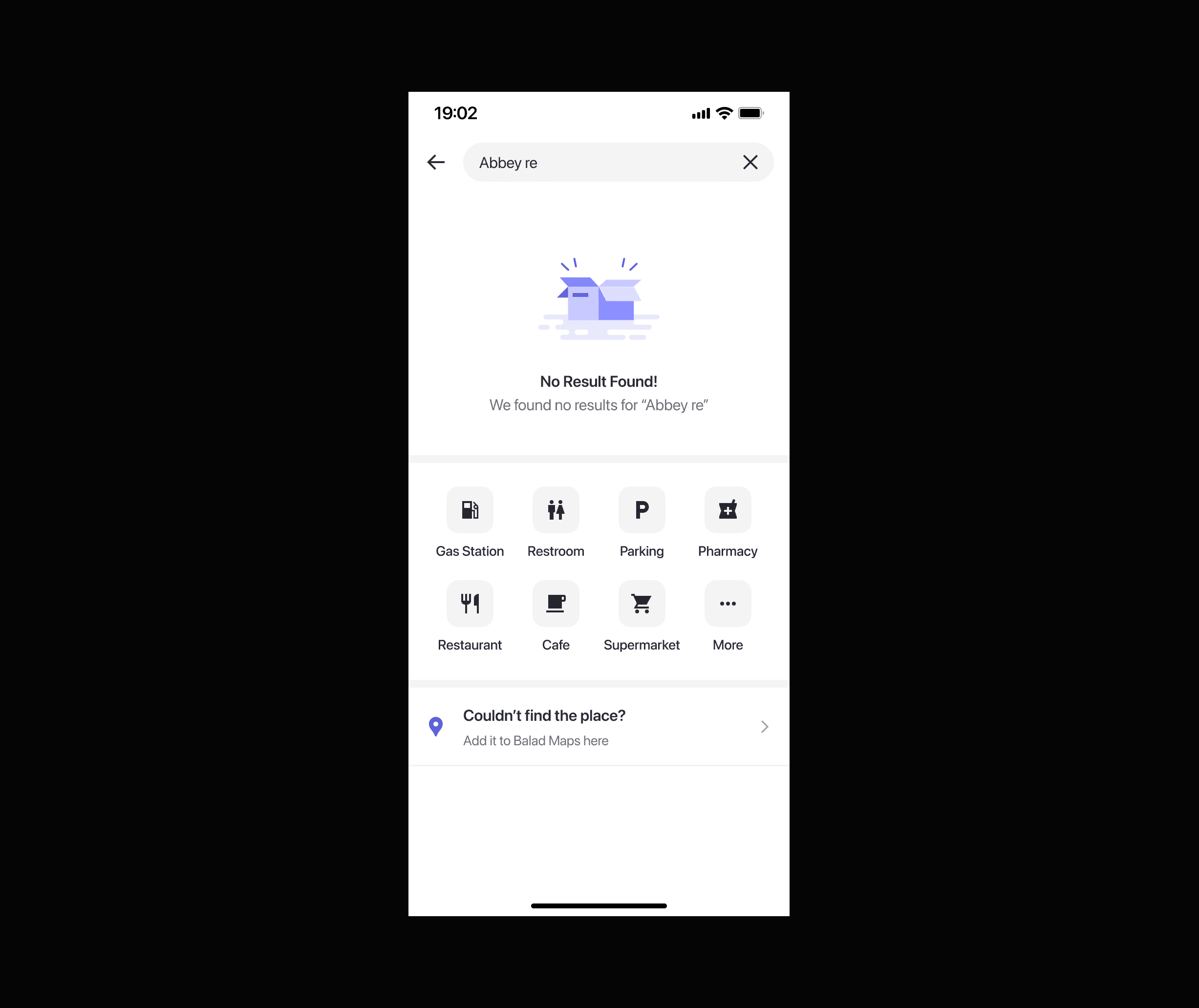
To prevent dead ends and keep users engaged, I've integrated POI category browsing after unsuccessful searches. This encourages exploration, potentially leading to increased user engagement and lower search bounce rates.
Search Results:
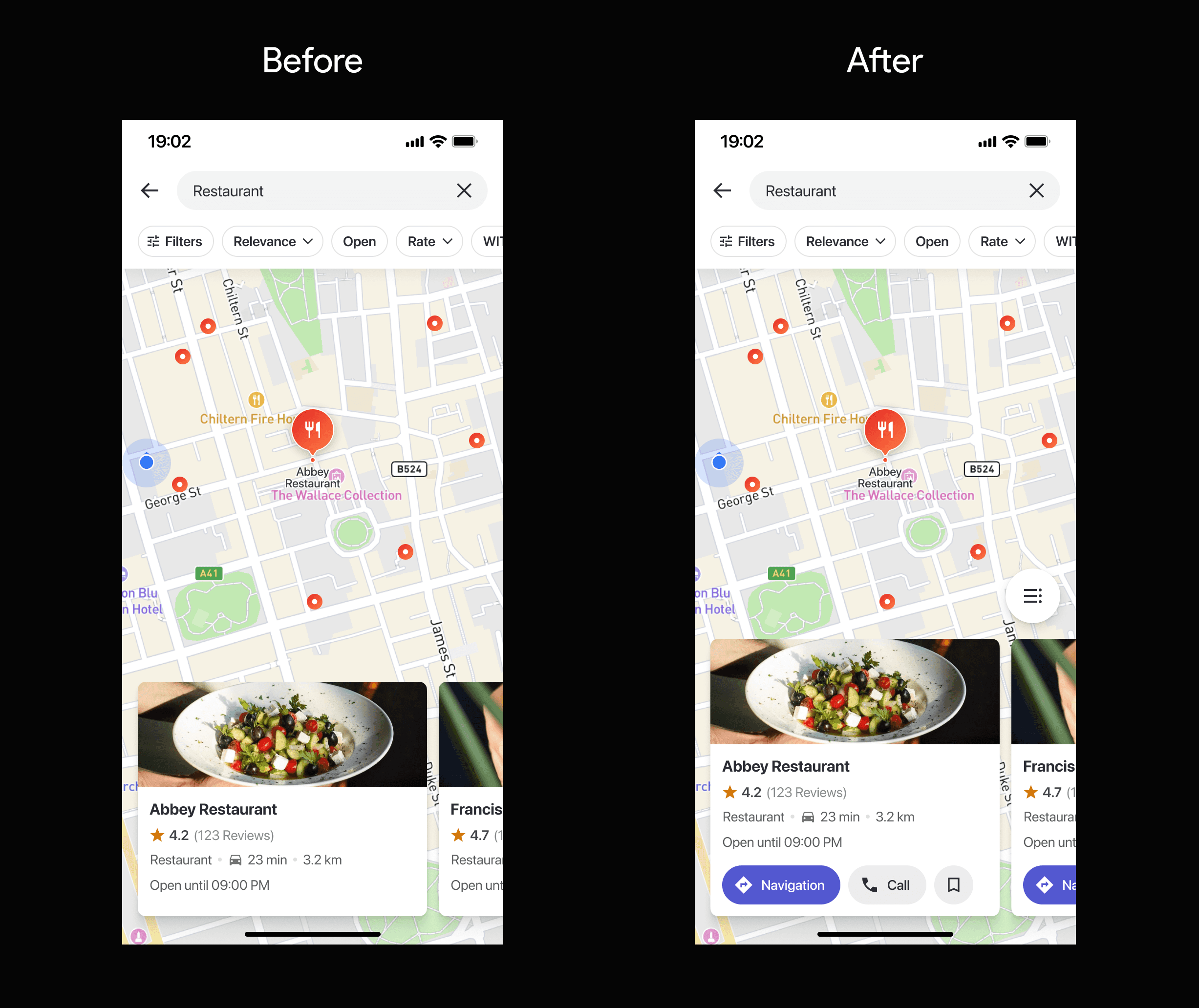
Previously, our POI card view displayed information but lacked interactive elements. This required users to navigate to separate detail pages for any actions. To encourage exploration and improve user engagement, we've added fast action buttons directly to each POI card. This eliminates the need for extra clicks and streamlines the exploration process.
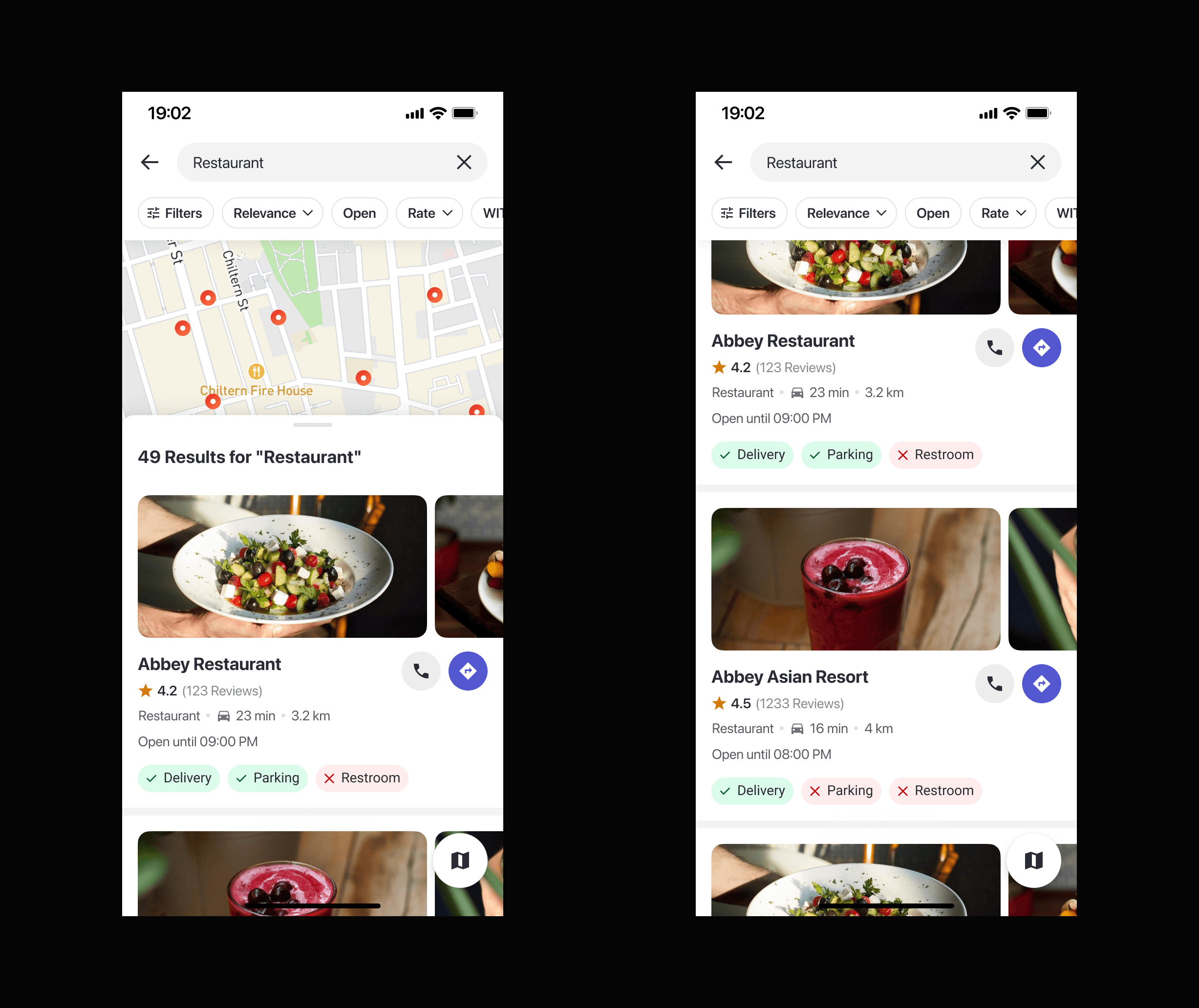
To enhance the exploration experience and cater to a new user segment, we've implemented a list view within the POI details page. This view prioritizes crucial information, allowing users to easily compare different POIs and make informed decisions. This addresses a key user behavior – the need for detailed comparisons – and empowers users to choose the POI that best suits their needs.
Impacts & Outcomes:
Increased User Engagement with POIs (15%)
The redesigned search experience, specifically the POI card view and the introduction of a list view within POI details, has led to a significant increase (15%) in user interaction with POIs. This includes clicks on fast action buttons, clicks on individual POI cards.
Reduced Search Bounce Rate (8%)
The redesigned search experience, including instant results, empty states, and the addition of a list view, has contributed to an 8% decrease in search bounce rate. This suggests users are finding the information they need more readily, leading to a more satisfying search and exploration experience.